Release notes
Every Keymotion version comes with release notes that say what changed.
Where to find them
Section titled “Where to find them”- On GitHub. The Releases page has the notes for each version, next to its installer and the installer’s SHA-256 checksum.
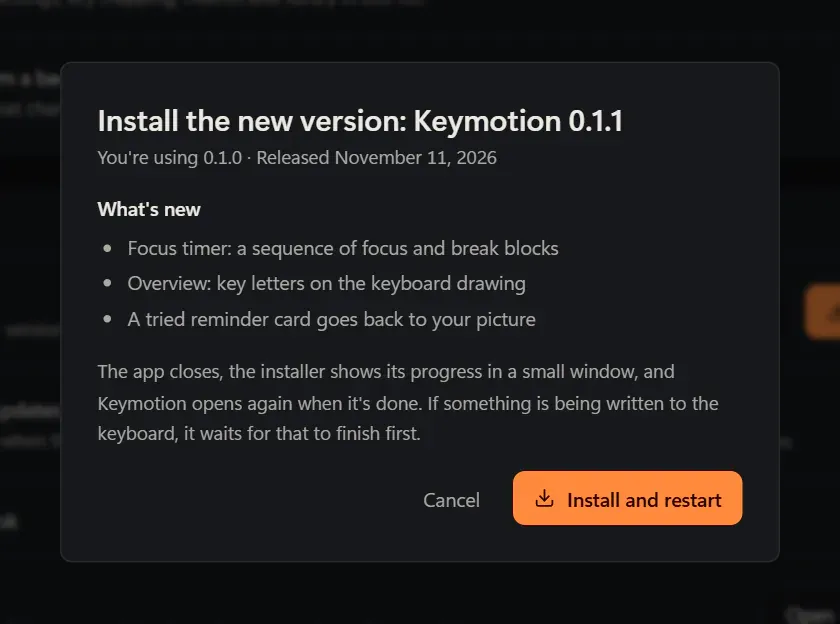
- In Keymotion. When Keymotion finds a new version, click What’s new in Settings, under About, or Install now in the strip above the page. The update window shows the notes under What’s new, in the app’s language when the release has notes in that language. Otherwise it shows a Release notes on GitHub link.
- The full history. All versions are listed in
CHANGELOG.mdon GitHub, and in Turkish inCHANGELOG.tr.md.
GitHub and the Microsoft Store
Section titled “GitHub and the Microsoft Store”From 1.0.0 on, Keymotion has the same version number wherever you got it, and one set of release notes.
- Settings › About shows the version the same way in both: “Version 1.0.0”. In the Microsoft Store’s copy, the same line says that the Store keeps it up to date.
- Windows’ list of installed apps shows the Store’s copy with a fourth number, which is always 0: 1.0.0 appears as 1.0.0.0. It is the same version.
- When a version arrives. A new version comes out on GitHub and in the Microsoft Store the same day: the GitHub release waits until Microsoft has reviewed the Store’s copy. Only an urgent fix (a crash, a security problem) may come out on GitHub first; its notes say so.
- Test versions (with “-rc” in their number) are only on GitHub.
- Only one Keymotion runs at a time. If both are installed, they use the same settings. Opening the GitHub copy opens the Store’s copy instead, and starting with Windows moves to the Store’s copy too. Its Settings › About then shows a “GitHub copy” row with a button to Windows’ Installed apps, where you can remove the GitHub copy; leave Also delete my settings and saved data unticked to keep your settings.
Keymotion 1.1.0
Section titled “Keymotion 1.1.0”Keymotion now tells you when a new version is out, and can install it by itself. It is in the Microsoft Store too.
- Update notifications. A Windows notification says when a new version is out, once for each version, with Update now and Later. The menu of the Keymotion icon next to the clock and a card at the bottom left of the window say it too, so you see it while Keymotion runs with its window closed.
- Update automatically. In Settings › About › Updates, choose Update automatically, Let me know or Off. Updating automatically downloads a new version and installs it while you’re not using the computer, never while something is written to the keyboard. See Updates.
- After an update a notification says which version is installed, and Keymotion opens the way it was.
- Microsoft Store. Keymotion is in the Microsoft Store, signed by Microsoft. If both copies are installed, the GitHub copy opens the Store’s copy instead. When the Store installs a new version, Keymotion opens again by itself.
Keymotion 1.0.0
Section titled “Keymotion 1.0.0”The same app as 0.1.0, ready for the Microsoft Store. The Microsoft Store takes no version number that starts with 0, so this release is 1.0.0.
- Microsoft Store edition. Microsoft signs the Store’s copy, so Windows installs it without a warning. Installed from the Store, Keymotion is updated by the Store, and it starts with Windows through Windows’ startup settings. The version on GitHub works as before.
Keymotion 0.1.0
Section titled “Keymotion 0.1.0”The first release. It supports the AJAZZ AK980 PRO on Windows.
- Connection. Finds the keyboard over the USB cable, the 2.4 GHz receiver and Bluetooth. Settings need the USB cable; Bluetooth shows the battery level.
- Overview. The whole keyboard with every key’s letters, what the screen shows now, and a tile for each tool.
- Lighting. The 19 built-in effects, per-key color with a brush and selection tools, and color calibration.
- Key mapping and macros. Base and Fn layers, a reset to the factory layout, and macros you record by pressing keys.
- Screen. Images, GIFs, videos, text cards and slideshows for the 240×135 screen, a library, and a way back to the factory animation. Keymotion also has an animation of its own.
- Live screen. Cards that update by themselves: the song that is playing, the focus timer and upcoming meetings, within a daily upload limit.
- Tools. A focus timer, reminders, calendar cards from Google, Outlook and iCloud calendars, and system gauges on the keys.
- In the background. Closing the window keeps Keymotion running next to the clock, and it can start with Windows.
- Updates and problem reports. Keymotion checks GitHub for new versions and installs only when you choose. Problems are reported on GitHub, by you.
- Installer. For your Windows account only, in English and Turkish, with no administrator rights needed.
- Turkish and English interface, light and dark theme.
Keymotion 0.1.0 isn’t code-signed yet. See the code signing policy.